

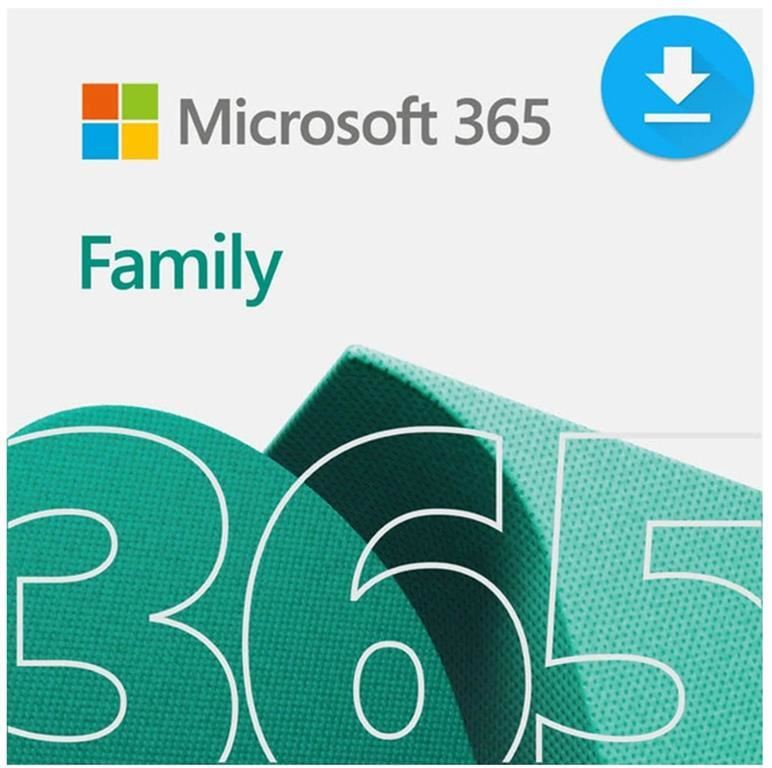
Microsoft Office 365 Family 1 Year Media Less – 5 Users – 6GQ-00087
Original price was: KSh 12,000.00.KSh 10,500.00Current price is: KSh 10,500.00.
- Model: 6GQ-00087
- License: Up to 5 Users, 1 Year
- Delivery: Media-less (Electronic Software Download)
- Compatibility: Windows, macOS, iOS, Android
Microsoft Office 365 Family 1 Year Media Less – 5 Users – 6GQ-00087
Microsoft Office 365 Family 1 Year Media Less – 5 Users (6GQ-00087) is a comprehensive Microsoft 365 subscription for families and households that provides premium productivity applications, cloud storage, advanced security, and AI-powered features for up to six people. Each shared user gets their own Microsoft account benefits, including 1 TB of OneDrive cloud storage, while the subscription owner can share the plan with up to five additional people. The subscription includes Microsoft Word, Excel, PowerPoint, Outlook, and OneNote desktop applications enhanced with Microsoft Copilot, together with Microsoft Defender, OneDrive ransomware protection, Microsoft Designer, Clipchamp, and Microsoft Teams. Each person can install Microsoft 365 on their supported devices and remain signed in on up to five devices at the same time. The Media Less format means no physical installation media is supplied; activation and installation are completed digitally through a Microsoft account. The subscription is valid for one year and is suitable for families, students, home users, and individuals who want premium Office applications and personal cloud storage across multiple devices.
Product Features
Microsoft Word
Create, edit, format, and collaborate on documents using the latest Microsoft Word desktop application. Word includes productivity and writing tools, with Microsoft Copilot available in supported experiences for the subscription owner.
Microsoft Excel
Create spreadsheets, perform calculations, analyze data, and organize information using Microsoft Excel. Supported Copilot features can assist the subscription owner with data analysis and other productivity tasks.
Microsoft PowerPoint
Design professional presentations with Microsoft PowerPoint using templates, presentation tools, collaboration features, and supported Copilot capabilities.
Microsoft Outlook
Manage email, calendars, contacts, and schedules with Microsoft Outlook. The subscription provides an ad-free Outlook experience with integrated security features and access to Copilot for the subscription owner.
Microsoft OneNote
Capture notes, create notebooks, organize information, and access notes across supported computers and mobile devices.
Microsoft Copilot
Microsoft 365 Family includes Microsoft Copilot in supported Microsoft 365 applications and services. Copilot can assist with tasks such as drafting, rewriting, summarizing, presentation creation, and Excel data analysis. AI benefits are currently available only to the primary subscription owner and cannot be shared with the other family members. Usage limits and AI credits apply.
Share with Up to Six People
Microsoft 365 Family can be shared with up to five additional people, allowing a total of up to six users. Each person uses their own Microsoft account and receives their own subscription benefits.
1 TB OneDrive Storage per User
Each person on the Family subscription receives 1 TB of OneDrive cloud storage. When shared with five additional people, the subscription provides up to 6 TB of combined OneDrive storage, with each user retaining separate personal storage.
Microsoft Defender
Microsoft Defender provides additional security features designed to help protect devices, personal information, and online activities against digital threats.
OneDrive Ransomware Protection
OneDrive includes ransomware detection and file recovery features designed to help protect stored files and photos from ransomware-related incidents.
Microsoft Designer
Microsoft Designer provides creative design and AI-powered image creation and editing tools for producing graphics, images, invitations, social content, and other visual materials.
Clipchamp Video Editor
Clipchamp provides video creation and editing tools for producing personal and family videos. Supported premium features include additional filters, effects, templates, and other editing capabilities.
Microsoft Teams
Microsoft Teams provides communication and collaboration features for calls, meetings, messaging, and staying connected across supported devices.
Multi-Device Access
Each person sharing the subscription can install Microsoft 365 applications on their devices and remain signed in on up to five devices simultaneously. Supported platforms include Windows PCs, Macs, tablets, and smartphones.
Cross-Platform Compatibility
Microsoft 365 Family supports Windows, macOS, Android, and iOS, allowing family members to access their applications, files, and cloud services across compatible computers and mobile devices.
Continuous Updates
Microsoft 365 is subscription-based, providing access to current versions of the included applications together with ongoing feature updates, security updates, and improvements while the subscription remains active.
Personal Accounts for Shared Users
Each person invited to the Family subscription uses their own Microsoft account. This keeps files, documents, OneDrive storage, email, and personal settings separate between users rather than combining everyone into a single account.
Media-Less Digital Activation
The Media Less edition does not include a physical installation disc or other physical installation media. The product is redeemed and activated digitally through a Microsoft account, after which Microsoft 365 applications can be downloaded and installed.
Product Specifications
- Brand: Microsoft
- Product name: Microsoft 365 Family
- Former product name: Microsoft Office 365 Family
- Product type: Personal and family productivity software subscription
- Part number: 6GQ-00087
- License type: Subscription
- Subscription duration: 1 year
- Subscription term: 12 months
- Number of users: Up to 6 people
- Product listing user count: 5 users
- Sharing allowance: Primary subscriber plus up to 5 additional people
- Included desktop applications: Word, Excel, PowerPoint, Outlook, and OneNote
- AI assistant: Microsoft Copilot
- Cloud storage: 1 TB OneDrive per user
- Maximum combined OneDrive storage: Up to 6 TB when shared with five additional people
- Security: Microsoft Defender
- Cloud file protection: OneDrive ransomware detection and file recovery
- Creative tools: Microsoft Designer and Clipchamp
- Communication: Microsoft Teams
- Email: Outlook
- Device sign-in: Up to 5 devices simultaneously per user
- Supported computer platforms: Windows PC and Mac
- Supported mobile platforms: Android and iOS
- Delivery format: Media Less
- Physical installation media: Not included
- Activation: Digital activation through a Microsoft account
- Internet connection: Required for setup, activation, updates, and cloud-based services
- Microsoft account: Required for activation and subscription management
- Subscription sharing: Available with up to five additional people
- Copilot sharing: AI benefits are available only to the primary subscription owner
- AI usage: Usage limits and AI credits apply to supported AI features
- Windows processor requirement: 1.6 GHz or faster, 2-core processor
- Windows memory requirement: 4 GB RAM
- Windows operating system: Windows 11 or other currently supported Microsoft 365 configurations
- Mac processor: Intel processor or Apple silicon on supported macOS versions
- Mac operating system: One of the three most recent versions of macOS
- Android compatibility: Supported recent Android versions
- iOS compatibility: Supported recent iOS versions
- Intended users: Families, students, home users, and individual users
- Recommended use: Document creation, spreadsheets, presentations, email, note-taking, cloud storage, photo management, video editing, communication, and everyday productivity
- Subscription renewal: Renewal is subject to the subscription terms and can generally be managed through the Microsoft account
- Regional availability: Features, applications, AI capabilities, and services may vary by country or region
- Compatibility note: Microsoft 365 functionality and system requirements can change as Microsoft updates its services
Be the first to review “Microsoft Office 365 Family 1 Year Media Less – 5 Users – 6GQ-00087”
Related products



Reviews
There are no reviews yet.